Guided preparation
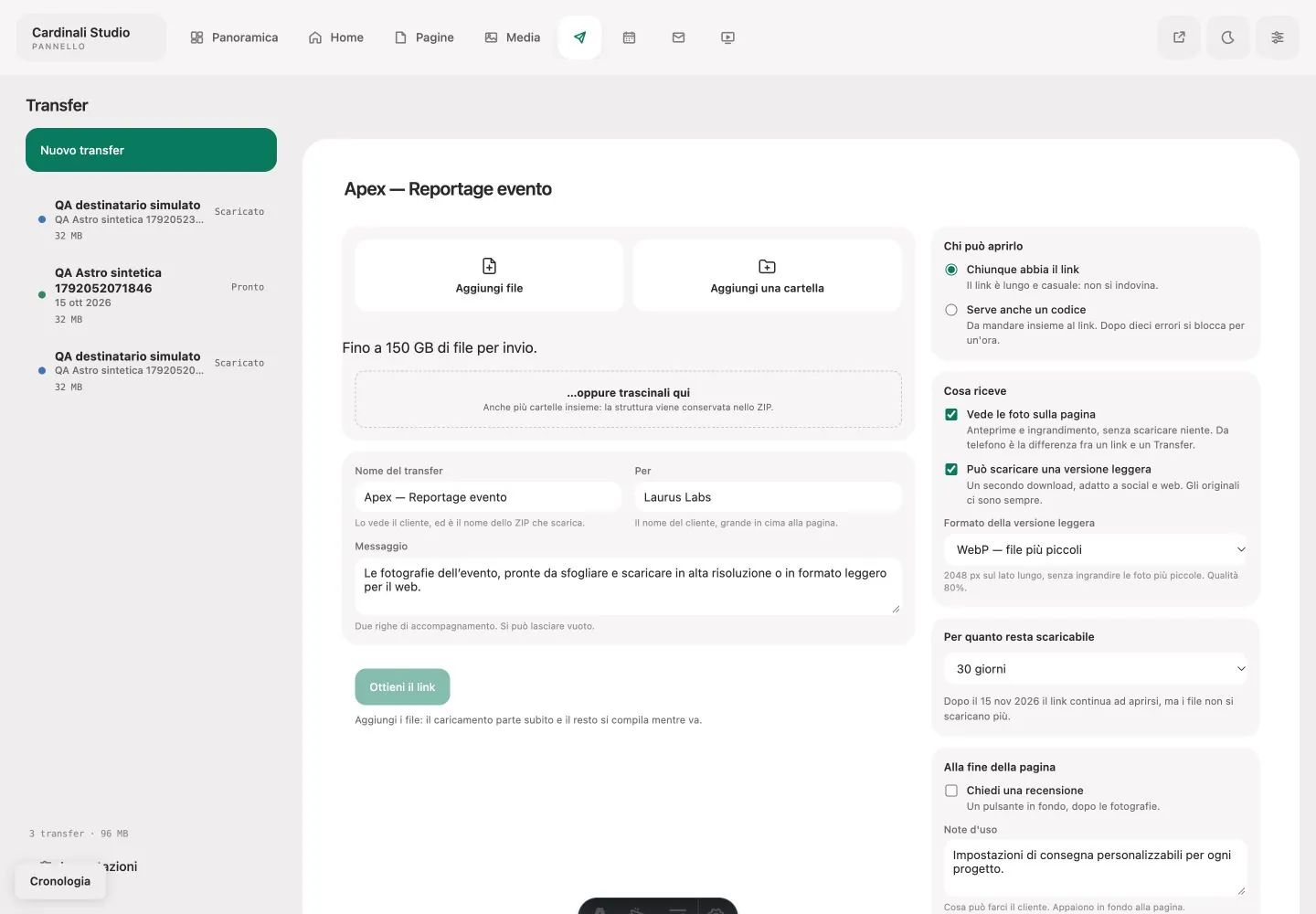
Files or folders, name, recipient and message form the delivery; access and lightweight versions are configured in the same journey.
A tool developed from professional practice
File delivery with your identity and your workflow.
Other creative professionals and I wanted more control over delivery: a recognisable identity, presentation of the work and a choice of how to receive files, without relying on the same standard experience for every project.
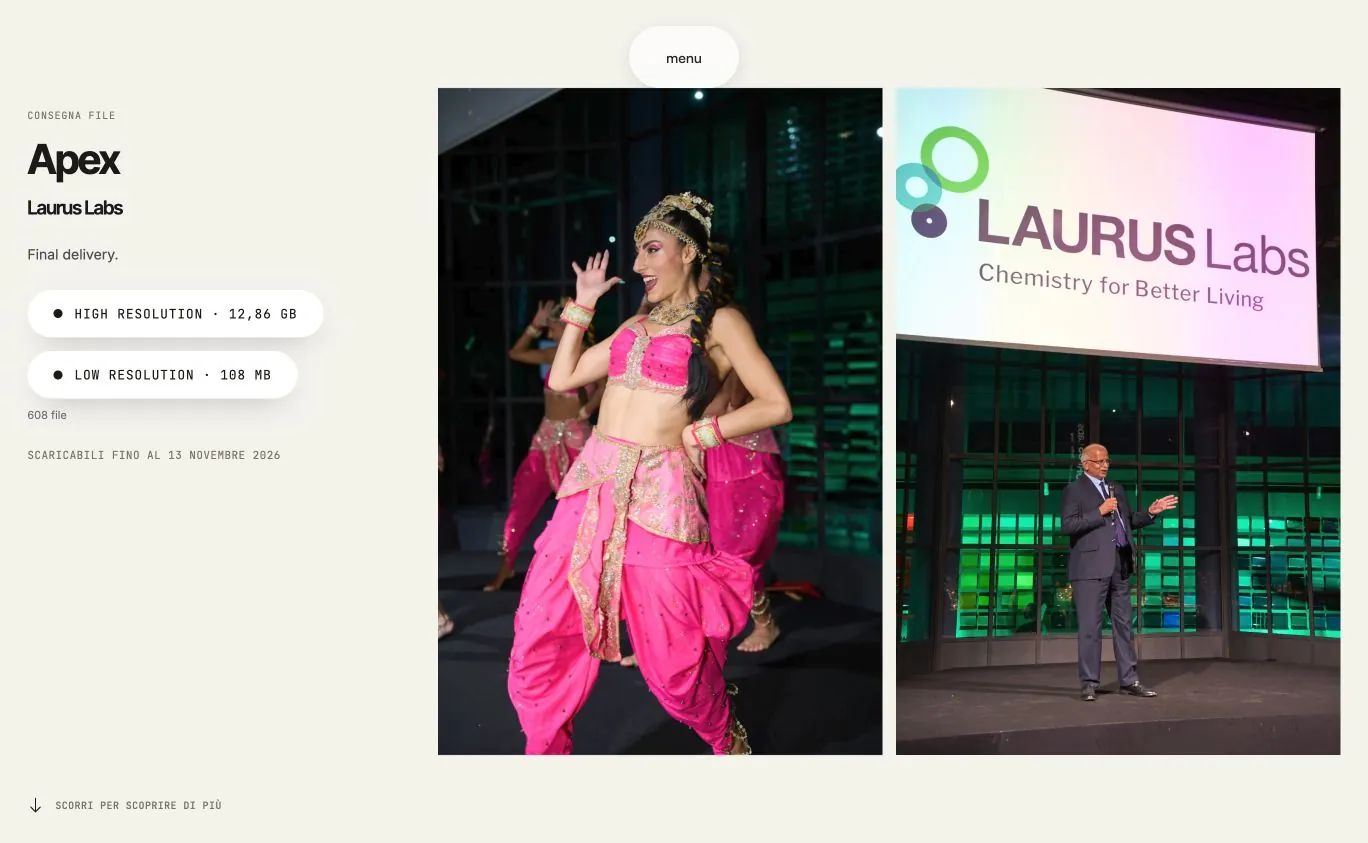
I handled project management, design and development of two connected journeys. The administration panel prepares files, title, message, access and expiry; the recipient page provides photographic browsing and original or lightweight downloads. Delivery becomes part of the professional relationship, with covers and supporting content.
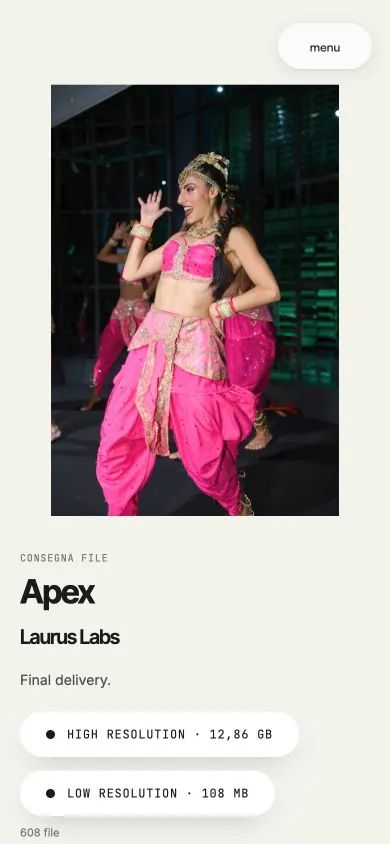
The interfaces document delivery creation, gallery browsing and downloads on desktop and phones. The workflow separates uploading, link preparation and receipt; its options adapt presentation and access to the work. The screens connect the professional’s configuration with the recipient’s experience.
Files or folders, name, recipient and message form the delivery; access and lightweight versions are configured in the same journey.
The gallery makes work viewable before download. A cover and message accompany files in the professional’s own voice and identity.
The recipient page uses a paper background, dark text and green download actions. Inter Tight leads headings, Inter supports reading and JetBrains Mono handles metadata. The administration panel uses Adminkit’s surface system: the two interfaces serve different purposes, reflected in their visual treatment.
Colours, typography and rules of the project.
#F3F2ECRecipient page background#15140EHeadings and primary text#79766DExpiry and metadata#1A8F4FDownload and delivery actions#FFFFFFSurfaces and controlsDelivery headings
The work, in your hands.
Message and content
Browse, choose, download.
Metadata and operational information
Originals / lightweight version
The sender works with options and statuses; the recipient sees images, a message and downloads. Each interface prioritises the task at hand.
The two actions remain separate and named. Recipients choose according to use without interpreting technical abbreviations.
Access codes, duration and expiry are part of the configuration. Page messages explain when an action is available or requires a step.
References: project interfaces, identity and materials.
Tell me what you want to build or which task you want to simplify. Our first conversation helps clarify goals, priorities and the information needed for a proposal.
emanuele@cardinali.studioMessage me on WhatsApp+39 329 154 6295You can get in touch while the idea is still taking shape. I will reply by email to understand the request and agree on the next step.
One studio, many worlds. Take a look at the other services too.