Client-specific configuration
Navigation, fields and modules are configured for the website. A shared foundation keeps operations consistent while exposing tools relevant to the client’s work.
The administration panel for my websites
A client-specific panel for content and everyday website tasks.
Clients need to manage their websites through tools that reflect their content. The goal is a clear panel adapted to everyday tasks, supporting edits, media and enquiries without requiring familiarity with code.
I handled project management, design and development of the panel used across my websites. Fields and sections follow the client’s project: content, media, enquiries and operational modules. Draft work is distinct from activating changes, while a shared structure can adapt its identity and functions to each website.
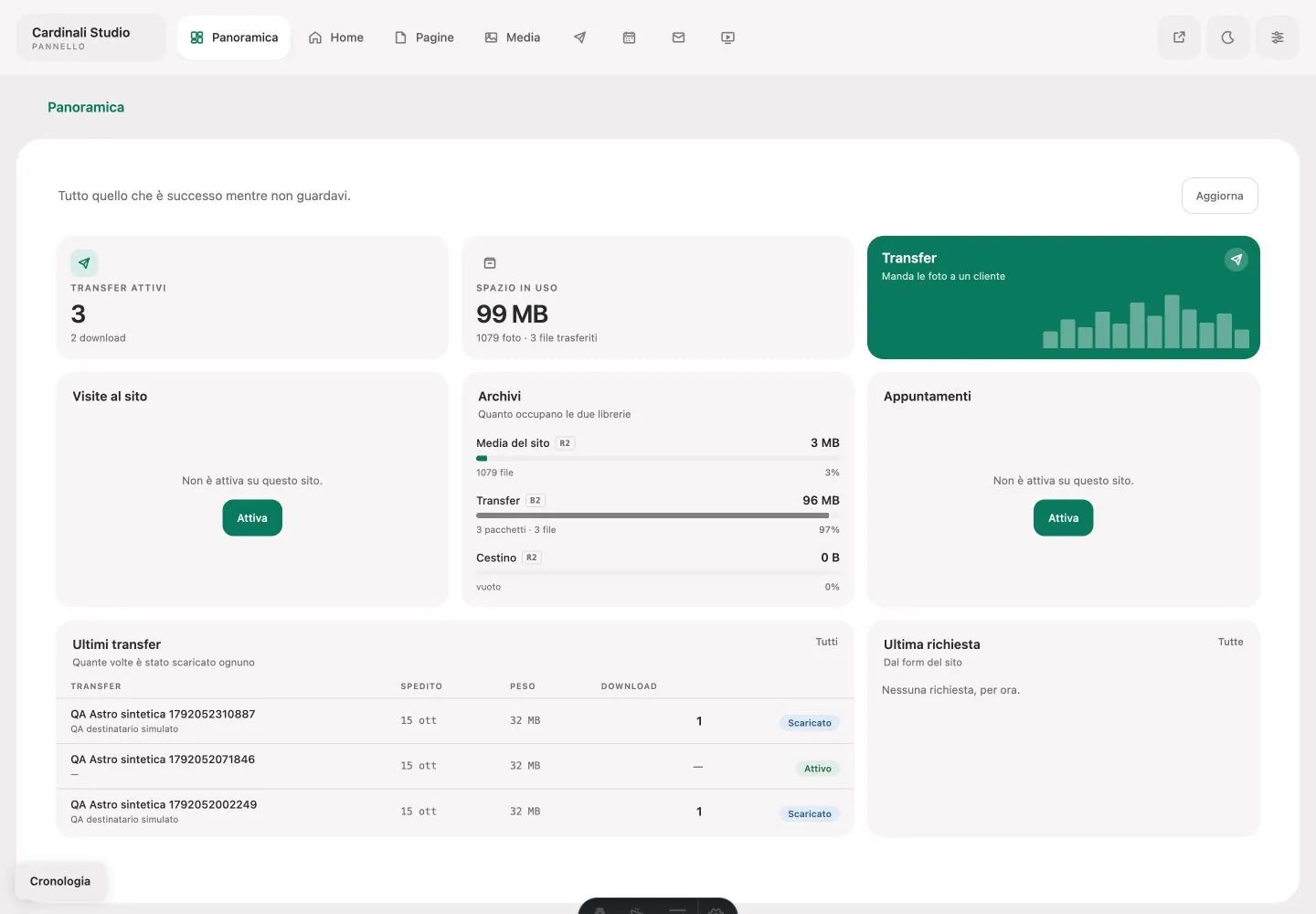
Dashboard, navigation, lists and editors form a unified management environment. The screenshot shows the overview and operational modules; fields, enabled services and editing autonomy are configured per client. Revisions and content checks support the journey from editing to activating changes on the website.
Navigation, fields and modules are configured for the website. A shared foundation keeps operations consistent while exposing tools relevant to the client’s work.
The overview combines section access and module information. Media and enquiries stay connected to website work rather than becoming separate tools.
In the configuration shown, warm neutrals and a green accent separate orientation from action. A white workspace sits above deeper contextual surfaces. System typography keeps the panel familiar on each device; palette and modules can adapt to the client.
Colours, typography and rules of the project.
#F0EEEFWorkspace background in the configuration shown#FFFFFFWorking surface#252424Headings and controls#706D6ESecondary information#007B5EActions and selections in the configuration shown#E4E2E3Inner surfaces and controlsNavigation, fields and body
Content, in its place.
Technical information and metadata
Draft → revision → publication
A photography project needs galleries and images; a service page needs copy and blocks. The panel presents fields relevant to the task.
Ground, sheet, containers and inset controls distinguish levels without outlining every element. Navigation retains the context of the work.
Saving a draft and activating a revision are separate steps. Statuses and messages explain what has been saved and what is active.
References: project interfaces, identity and materials.
Tell me what you want to build or which task you want to simplify. Our first conversation helps clarify goals, priorities and the information needed for a proposal.
emanuele@cardinali.studioMessage me on WhatsApp+39 329 154 6295You can get in touch while the idea is still taking shape. I will reply by email to understand the request and agree on the next step.
One studio, many worlds. Take a look at the other services too.